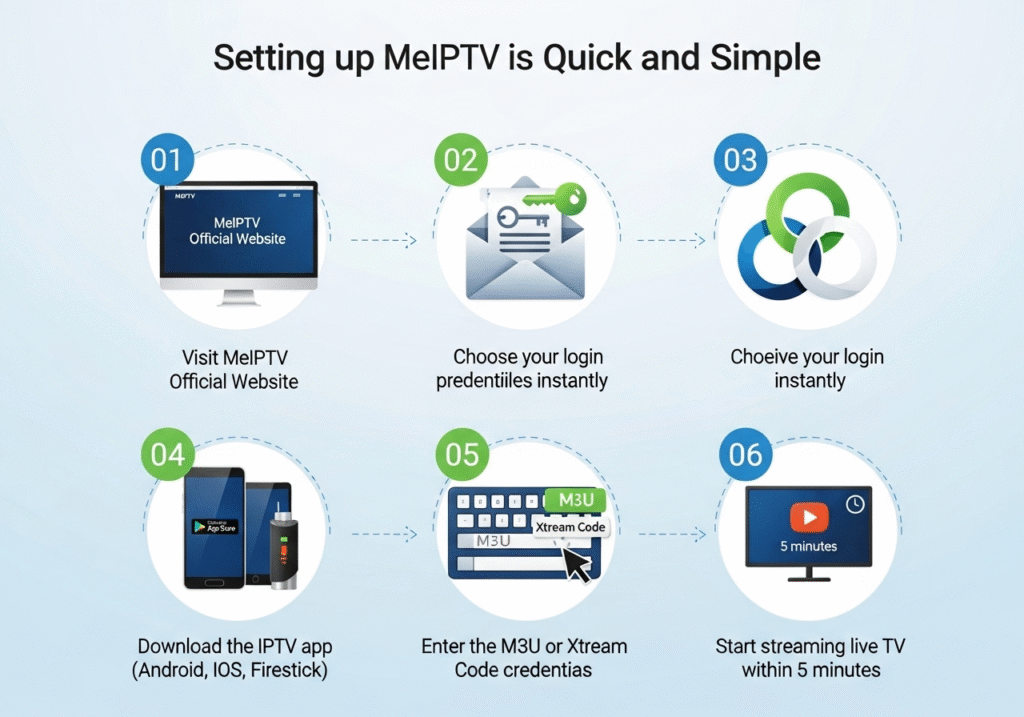
IPTV Smarters Pro subscription is an IPTV player—not a content provider. It lets you sign in with IPTV credentials from a separate provider (like MeIPTV) to watch live channels, movies, and series. It supports popular login formats:
Xtream Codes API (recommended)
M3U playlist URL (with optional EPG link)
Local playlist files (advanced use)
Supported devices commonly include: Android phones/tablets, Android TV/Google TV, Amazon Fire TV/Firestick, iPhone/iPad (via Smarters Player Lite), Windows, macOS, and many Smart TVs (availability may vary by region/store).
Quick truth: The player is free or low-cost. Your subscription comes from the provider. That’s why choosing a reliable provider—like MeIPTV—matters most.
Why Choose a MeIPTV iptv smarters pro subscription
M3U Playlist URL: A single link containing your channel list
Support Contact: So you can reach help any time
Keep these details safe. You’ll paste them into IPTV Smarters Pro during setup.
Step-by-Step: Add IPTV Smarters Pro Subscription (Xtream Codes API)
This is the recommended method for most devices (Android/Android TV/Fire TV).
1) Install the App
Android/Google TV: Open the Google Play Store, search IPTV Smarters Pro.
Firestick/Fire TV: Open Amazon Appstore and search IPTV Smarters. If not visible in your region, you can sideload (enable Apps from Unknown Sources and use a downloader app).
Tip: If your store doesn’t carry the app, check the official site for platform downloads: IPTV Smarters Pro Official.
2) Launch & Accept Terms
Open the app → accept the EULA/terms → you’ll land on the main screen.
3) Tap “Add New User”
Choose “Login with Xtream Codes API.”
4) Enter Your Credentials
Any Name: e.g., “MeIPTV – Living Room”
Username: (from your activation email)
Password: (from your activation email)
Server / URL: Paste exactly as provided (e.g., http(s)://portal.example.com)
Important: Type the server URL precisely—uppercase vs lowercase won’t matter, but missing http/https or extra spaces will.
5) Log In & Let It Sync
The app will authenticate, then download channels, categories, and VOD. First sync can take 1–3 minutes depending on your device and plan size.
6) Start Watching
Go to Live TV for channels
Movies/Series for VOD
EPG to browse schedules
Use Search to jump straight to what you want
Step-by-Step: Add Subscription via M3U Playlist + EPG
Use this if your provider instructed you to use M3U (or you prefer a simpler URL method).
Add New User → choose “Load Your Playlist or File/URL.”
Playlist Name: e.g., “MeIPTV – M3U”
Playlist Type: M3U URL
M3U URL: Paste your full link
Add User → wait for sync → enjoy
Note: Xtream Codes API generally updates faster and sorts categories better. Use M3U if that’s what your plan provides.
iPhone & iPad: Smarters Player Lite Walkthrough
Apple’s App Store carries Smarters Player Lite (the iOS counterpart).
Install “Smarters Player Lite” from the App Store
Open → accept terms → Add New User
ChooseXtream Codes API or M3U URL
Enter your credentials exactly as provided
Login → allow the initial sync
Enable HW Decoder (Settings) if your device supports it for smoother playback
Enjoy Live TV / Movies / Series
Windows & macOS App Setup
Download the desktop app from the official site or a trusted source
Install → open → Add New User
Sign in with Xtream Codes API or M3U URL
Let the channel list populate → start streaming
Use keyboard shortcuts (←/→, PgUp/PgDn) to speed up navigation
Smart TV (Samsung/LG) Options
Samsung (Tizen) and LG (webOS): Availability of “IPTV Smarters” apps may vary by region. Open your TV’s app store and search for “Smarters.”



 Written by Meiptv